4 min read
Write saree descriptions in seconds with AI
Blank-caption paralysis keeps beautiful pieces offline. How AI drafts fabric, colours, description and tags from one photo — with you as the editor.
Picture a Sunday afternoon. A boutique owner — call her Nandini — has spent the morning photographing eleven new pieces against her whitest wall. The photos are lovely. Then she opens the first one to write the listing and types: "Beautiful saree." Deletes it. "Elegant soft silk in—" — is it soft silk or art silk? The supplier said one thing, the drape says another. Delete. She puts the phone down, and the eleven pieces spend another week selling only to whoever walks into the shop and asks.
That stall has a name in every boutique, even if nobody says it out loud: the pieces are ready, the photos are ready, and the words are the bottleneck. It isn't laziness, and it isn't a language problem. Describing a piece well means holding five things in your head at once — fabric, colour, work, occasion, care — and writing them in a voice that sounds like your shop, eleven times in a row, when you'd rather be sourcing or selling.
What a description is actually for
Online, the buyer can't pinch the fabric or hold the pallu to the light. The description stands in for her hands. A good ethnic-wear listing does four jobs:
- Names the fabric honestly. "Chanderi cotton-silk" builds trust; "premium fabric" builds nothing.
- Names the colours the way a buyer searches. She types "rust orange saree", not "sunset hue".
- Says what makes the piece special — the woven border, the mirror work, the hand-block print.
- Answers the practical questions — occasion, blouse piece, care — before they become messages.
That last one matters most. Every detail missing from the listing turns into a question in your inbox, joining the pile of DMs where orders go to die.
Why the blank page keeps winning
Knowing all of this doesn't make the typing happen. The blank page wins for a boring reason: repetition. The first description of the day is easy. The seventh is a chore. By the eleventh, "Beautiful saree" starts to look acceptable — and the catalog fills with listings that say nothing.
Here's the irony: almost everything the listing needs is already in the photo. The sheen that says silk, the weave of the border, the exact shade of the ground and the contrast blouse — you photographed the answers. The work left over is transcription, and transcription is exactly the kind of work that shouldn't be yours.
The photo already knows the fabric falls like silk and the border is woven in gold. The problem was never knowledge — it was typing it out for the eleventh time.
Let the photo write the first draft
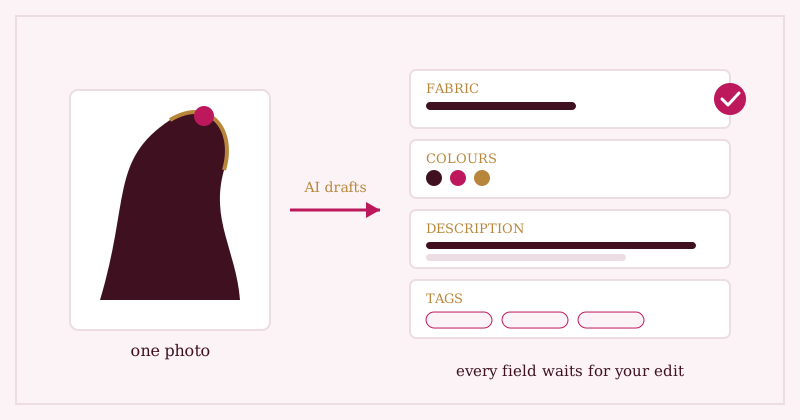
This is where AI earns its keep — not by inventing marketing copy, but by doing the transcription. In Studio OS, adding a product starts with the photo. From that one image, AI drafts the fields for you: a fabric guess, the colours it sees, a clean description in plain language, and search tags. What took twenty minutes of staring now takes the time it takes to read.
Notice the word drafts. Nothing publishes itself. Every field lands in an editable form, exactly where you'd have typed it by hand.
You are the editor — and that's the point
AI reads a photo well, but it can't know what only you know. It may read an art silk as pure silk; it can't know the supplier's honest answer, or that this batch runs small, or that the blouse piece is unstitched. So the workflow keeps you in charge: read the draft, correct the fabric if it's wrong, cut the adjective you'd never say, add the detail only you know — then save.
Two minutes of editing an honest draft beats twenty minutes of composing from nothing, and it produces something better than either: a catalog where every piece is described fully, in your voice, with no "Beautiful saree" placeholders. We're also exploring richer attribute detection — picking up work types and weave names more precisely — so the drafts keep getting closer to done. Direction, not a dated promise.
Where Studio OS fits
- Add a piece with just a photo and a price — AI drafts the fabric, colours, description and tags in seconds.
- Every field is editable before you save. Nothing reaches your shop or your captions without your eye on it.
- The details you approve flow everywhere at once: your shop page, your Instagram caption, your WhatsApp share text. Write once, use everywhere.
- Browse listings written this way in the demo shop, and see everything else Studio OS does around them.
Nandini's eleven pieces don't need a copywriter. They need a first draft — and a shopkeeper who presses save.