5 min read
Boutique festive season checklist: prep that pays
A six-weeks-out checklist for boutiques — honest catalog, stock counts, Instagram rhythm, measurements and follow-ups, before the rush hits.
Picture the first Saturday of October. A boutique owner who normally handles four orders a week suddenly has eleven — plus thirty enquiries, two blouse alterations promised "before the function," and a supplier who has stopped answering. Nothing new has gone wrong. The same small gaps she lives with all year — the stock count in her head, the measurements in an old chat, the follow-up she meant to send — have simply been multiplied by three. Festive season doesn't create problems; it compounds the ones already there.
That's actually good news, because it means festive prep isn't a heroic project. It's a checklist of ordinary things, done in the calm weeks, in order. Here is the one worth pinning up — it works for Diwali, the wedding winter, Eid, Pongal, or whichever season is yours.
Six weeks out: make the catalog tell the truth
The season will be run on your catalog, so this is where prep starts. Every question a product page answers is an enquiry you won't have to type at 11 pm in week three.
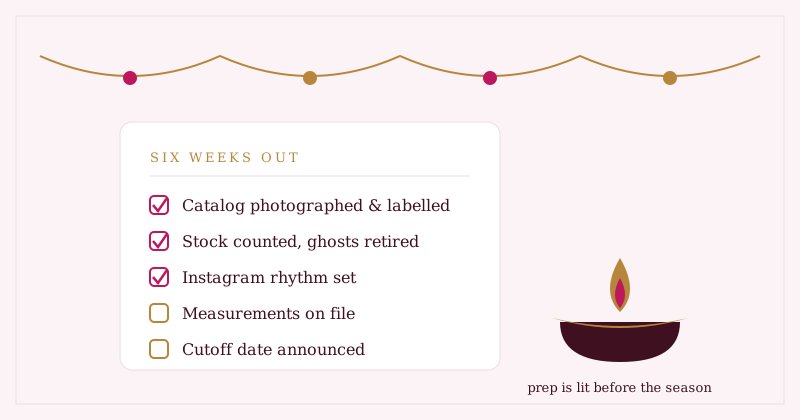
- Photograph the festive pieces now, in daylight, before the rush eats your mornings.
- Label every piece honestly: ready-to-ship or made-to-order. Mixed signals here become the season's angriest conversations.
- Write a lead time on every made-to-order piece — "allow 3 weeks" on the page beats apologising for it later.
- Count stock and write it down where it updates itself. One-of-one pieces double-sell precisely in busy weeks; the whole argument is in from notebook to dashboard.
- Retire the ghosts — hide sold and discontinued pieces so nobody falls in love with something that's gone.
Four weeks out: warm up Instagram and WhatsApp
Reach is built before the season, not during it. The algorithm — and more importantly, your customers' memory — rewards a steady drumbeat over a last-minute flood.
- Set a posting rhythm you can actually keep (three good posts a week beat a ten-post spree). The full method is in how to sell sarees on Instagram without losing orders.
- Post each new festive piece as you list it — one action, both channels.
- Draft your WhatsApp broadcast messages now, while you can write calmly; the WhatsApp playbook has the templates and the etiquette.
- Check what your shop link looks like in a chat. A branded link-preview card is the difference between "shop" and "suspicious blue URL" — especially when customers forward your link to relatives you've never met.
Two weeks out: lock the made-to-order pipeline
Custom pieces are where festive seasons are won or lost, because stitching time cannot be compressed by enthusiasm.
- Get measurements on file for every custom order — written fields, not a voice note from March. Why chat-thread measurements go missing (and what to keep instead) is the subject of measurements that never get lost.
- Announce your cutoff date — "custom orders close on the 14th" — on your shop page, your Instagram, your status. Then honour it.
- Agree advances up front for made-to-order work, in writing in the chat. Awkward for ten seconds; protective for the whole season.
- Book your tailor's capacity in slots, not vibes. You are selling a timeline as much as a garment.
During the season: run on the pipeline, not on memory
When the volume triples, the owners who cope aren't working harder — they've moved the remembering out of their heads.
The festive rush never breaks the boutique. It breaks whatever the boutique was keeping in its head — so the whole game of prep is emptying your head into a system before October does it for you.
- Every order goes into the pipeline — pending, confirmed, completed — the moment it's agreed. No "I'll note it tonight."
- Complete orders the day they're delivered, so sales and stock stay true while you still remember which piece went where.
- Answer enquiries the same day. In festive weeks a customer who waits overnight has usually bought elsewhere by morning.
- Check your five numbers every morning — sales, orders waiting, new enquiries, low stock, best-sellers. The morning dashboard ritual matters most in exactly the weeks you'll be tempted to skip it.
- Post the "last one available" pieces. Scarcity is honest marketing when the stock count is honest.
After the season: the quiet week that pays for next year
The rush ends abruptly; the checklist doesn't. The week after is where a good season becomes a good business.
- Record the stragglers — walk-in and Instagram sales that never became formal orders — so the season's total is real.
- Send thank-you follow-ups to festive customers, personally. A customer who bought once in October is your likeliest buyer next October.
- File every new customer's measurements and preferences while the orders are fresh — next season's custom work starts pre-loaded.
- Study your best-sellers list and write yourself one paragraph: what to stock deeper, what to drop, what surprised you. Next year's six-weeks-out starts here.
Where Studio OS fits
Every line above is ordinary discipline — Studio OS just removes the remembering:
- Availability labels and pre-order notes live on each product, so ready-to-ship and made-to-order promises are stated on the page, not renegotiated in chat.
- Stock updates itself: completing an order records the sale and decrements stock in one action, and walk-in sales take ten seconds to log.
- Instagram posting happens from the product screen — list the piece, post the piece, one flow. Your shop and product links unfurl into branded preview cards on WhatsApp.
- Enquiries and orders are pipelines, not chat memory — new, in progress, resolved; pending, confirmed, completed.
- Customer measurements are structured fields on each customer, and follow-up reminders surface on your dashboard when they're due — with you writing and sending every message yourself.
Free in early access, no card needed. Walk the customer's side of a prepared shop in the demo shop — then start your six-weeks-out list at Studio OS.