4 min read
Create an online boutique in 15 minutes, free
No developer, no card, no "I'm not technical" fear — walk in as a guest, name your boutique, add one product with AI help, and share your link.
Picture Asha, who sells salwar suits from her front room and her Instagram DMs. Her cousin keeps saying "you need a website." Asha hears that as: forty thousand rupees, an agency that stops replying after the advance, three months of back-and-forth, and a login she'll be scared to touch. So the website stays a someday-thing, and every new customer keeps arriving through a DM thread that only Asha can see.
The fear is real, but it's dated. It belongs to an era when a website meant hiring someone. What a boutique actually needs is small: a page that shows the collection, a page per piece, and a way for a customer to ask or order. That is fifteen minutes of work now — timed honestly, phone in hand.
Minutes 0–2: walk in without signing up
The biggest barrier isn't technical, it's psychological — nobody wants to create another account just to find out whether a tool is for them. So don't. Studio OS lets you enter as a guest: no email, no password, no card number. You get a real dashboard and a real shop, not a video tour. If it's not for you, close the tab and you've lost nothing — not even an inbox full of "we miss you" emails.
Minutes 3–5: name your boutique
The first real question you're asked is the only one that matters: what is your boutique called? That name becomes your shop's link — the one you'll put in your Instagram bio and WhatsApp status. This is also the moment your shop stops being a profile on someone else's platform and becomes an address you own, a distinction marketplace, Instagram, or your own website unpacks properly.
Minutes 5–12: add your first product — with help on the words
The step everyone dreads is the writing. You know the piece intimately; you just can't face typing fabric, colours, sizes and a description forty times. Here's the trick: add the photo first, and let AI draft the rest. One tap suggests the fabric, colours, category and a description from the photo itself — you stay the editor, correcting what it got wrong and adding what only you know. You set the price, mark it ready-to-ship or made-to-order, and save. Piece number one is live.
The perfect catalog is a trap. One honest product, photographed on your own table and shared today, beats forty perfect listings shared "next month" — next month has a way of not arriving.
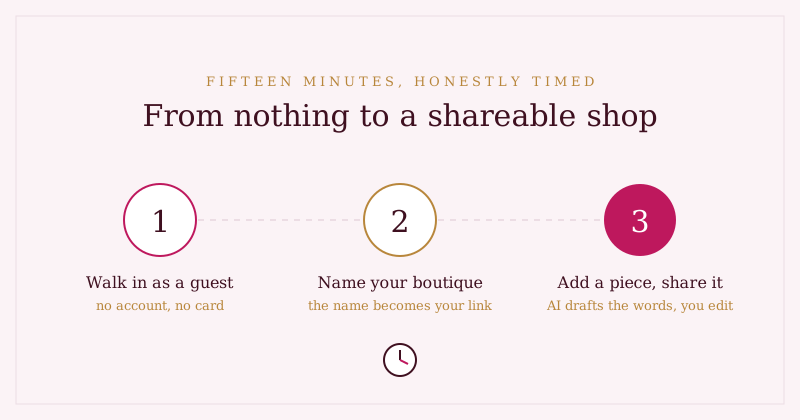
Minutes 12–15: share the link
Put the link in your Instagram bio and send it to five customers who've bought before — warm audience first. On WhatsApp the link unfurls into a branded card with your piece's photo, name and price; how link previews work is a story of its own, but the short version is your link now looks like a shop instead of a suspicious blue URL.
And your guest work? It's not a demo
Here's the part that usually surprises people: everything you just made is real. When you're ready, add an email and password and your guest session becomes your permanent account, in place — same shop, same products, same link. Nothing to redo, nothing to migrate.
What to do in week one: resist the urge to list everything. Six to ten pieces you'd proudly show a walk-in customer beat a forty-item dump. Answer every enquiry the day it arrives. And start the five-numbers morning check early — good habits are easiest to build when the numbers are small.
Where Studio OS fits
The fifteen minutes above aren't a metaphor — they're the actual Studio OS onboarding path:
- Guest mode — explore with a real dashboard and shop, no account, no card. Free in early access.
- Name your boutique once and your shareable shop link is generated from it.
- AI product autofill drafts fabric, colours, category and description from your photo; you edit and approve every word before it's saved.
- Your link is ready to share immediately — and it unfurls into a branded preview card on WhatsApp.
- Convert your guest account whenever you like — everything carries over.
Browse the demo shop to see where the fifteen minutes lead, then start your own clock at Studio OS.