4 min read
Best time to post on Instagram for boutiques
There is no magic hour — but there is your audience's rhythm. How to find your boutique's best posting time, and schedule posts to actually hit it.
Picture 11:40 on a Wednesday night. The shutters are down, dinner is done, the day's alterations are logged — and only now does the boutique owner open Instagram to post the lehenga that arrived that morning. Not because 11:40 is when her buyers are scrolling. Because 11:40 is the first quiet moment she has had since eight a.m.
Her customers — working women, mostly, who browse at lunch and shop from the sofa around nine — will see the post tomorrow, if the feed is kind, buried under everything posted since. The photo was good. The piece was good. The clock was wrong, and the clock was wrong for the most human reason there is: posting happens when the work ends, not when the audience arrives.
Is there actually a "best time"?
Honest answer: there is no magic hour that works for every boutique, and anyone selling you one is guessing. But there are patterns worth starting from:
- Lunchtime (1–2 pm) — the midday scroll at work.
- Evenings (7–10 pm) — the biggest window for most Indian boutiques; browsing happens after dinner, from the sofa, unhurried.
- Sunday afternoons — relaxed, high-intent browsing, especially before a festival or wedding season.
- Festival lead-ups — the three weeks before a big festival shift everything earlier and higher; buyers plan, so post ahead of the rush.
Treat these as a starting bet, not a law. Your own audience has its own rhythm, and the only way to learn it is to post at different times and watch what happens — which is a topic big enough that we've given reading your post insights its own post.
One more honest note: consistency beats precision. A boutique that posts three evenings a week, every week, will outgrow one that posts at the mathematically perfect minute once a fortnight.
The real problem isn't knowing the time
Most owners could guess their best window within an hour. The problem is being free during it. Seven to ten p.m. is exactly when the shop is busiest, dinner happens, and family exists. Knowing the right time and being available at the right time are different problems — and only one of them can be solved with advice.
The best time to post is when your customers are scrolling, not when your shutters come down. For most boutiques, those have never been the same hour.
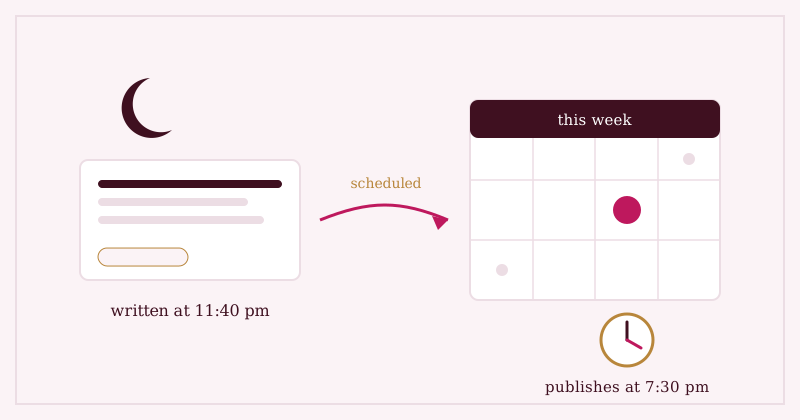
The fix is old-fashioned: separate the work from the moment. Write the post when you have the quiet — 11:40 is fine for writing — and let it publish when the audience is there.
Scheduling from the product screen
This is built into Studio OS at the spot where it's most natural: the product screen. When you add a piece — photo in, details drafted, caption written from the photo by AI and edited by you — you choose: post now, or pick a date and time and let it go out then.
A few honest specifics, so you know exactly what you're getting:
- Posts are single-photo posts with a caption — the format that suits a product announcement. No carousels or Reels from Studio OS today.
- You'll need an Instagram Business or Creator account, connected once in Settings. (Free to switch; takes two minutes in the Instagram app.)
- The caption is always yours. AI drafts it, you approve it — nothing goes out unread.
So the Wednesday-night lehenga gets photographed at 11:40, captioned at 11:45, and published at 7:30 the next evening — while the owner is busy doing what actually needs her: running the shop.
Down the road, we're exploring smarter suggestions — using your own posting history to propose the window that has worked best for your audience, rather than the averages above. That's a direction we're heading, not a date on a calendar.
Where Studio OS fits
- Add a product and post it to Instagram from the same screen — publish now, or schedule it for the hour your buyers actually scroll.
- Captions are drafted from the photo by AI and approved by you, so scheduling never means publishing something you haven't read.
- Works with an Instagram Business or Creator account, connected once in Settings.
- The post links back to a real product page your buyers can act on — see one in the demo shop, and the rest of what Studio OS does.
Post at nine because the buyers are there. Write at midnight because the quiet is there. They were never meant to be the same moment.